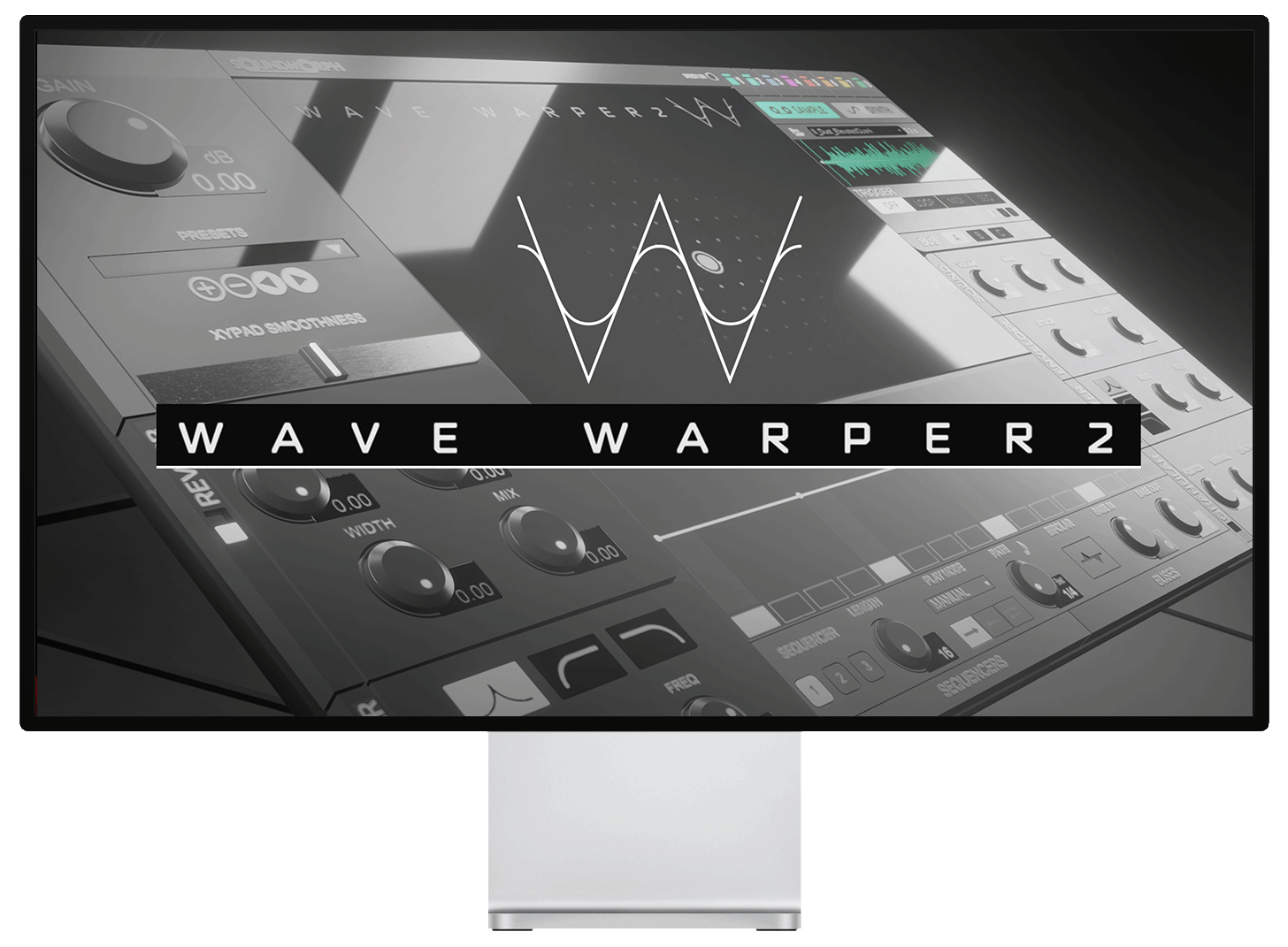
Wave Warper 2 / Whoosh & movement design

Design sound in motion.

4.8 / 5 123 reviews

Shape whooshes, movement, and dynamic transitions with an instrument built for sonic exploration.

SoundMorph / Instrument series

Limited-time bonus

A Secret Library. Yours free.

Any purchase. Now through Black Friday.

Delivered at the end of Black Friday, November 27, 2026.

About the bonus

Last year’s surprise was Spark.

Tesla sparks, electrical textures and vintage machines. Explore Spark and read customer reviews to discover what last year’s surprise delivered.

Explore Spark & read reviews

This year is still under wraps.

Make any purchase now through Black Friday to receive this year’s mystery sound library free. We’ll reveal and deliver it at the end of November 27, 2026.

Compatibility at a glance

Formats
VST3 · AU · AAXAU: macOS only
Supported systems
macOS 10.14+ · Windows 10+Multicore processor · 8 GB RAM
Apple Silicon
CompatibleUse the current Mac installer.
Demo limitations
Periodic white noisePreset saving disabled in demo mode.

Shape expressive movement, transitions, and layered sound effects.

Specifications at a glance

Now Apple Silicon Supported. (M1, M2)

Minimum requirements:

An Intel® Mac with Mac OS X 10.14 (or later), OR a PC with Windows 10 (or later); Multicore processor; 8 GB RAM.

Customer review

“It's surprisingly flexible, offering a lot of possibilities for my musical experiments.”

Mátrai P.Verified buyerWave Warper 2Read all reviews

Watch & listen

Hear Wave Warper 2 in action.

Demos and walkthroughs. Press play to listen.

Unlock Your DAW To An Expansive New Sound.

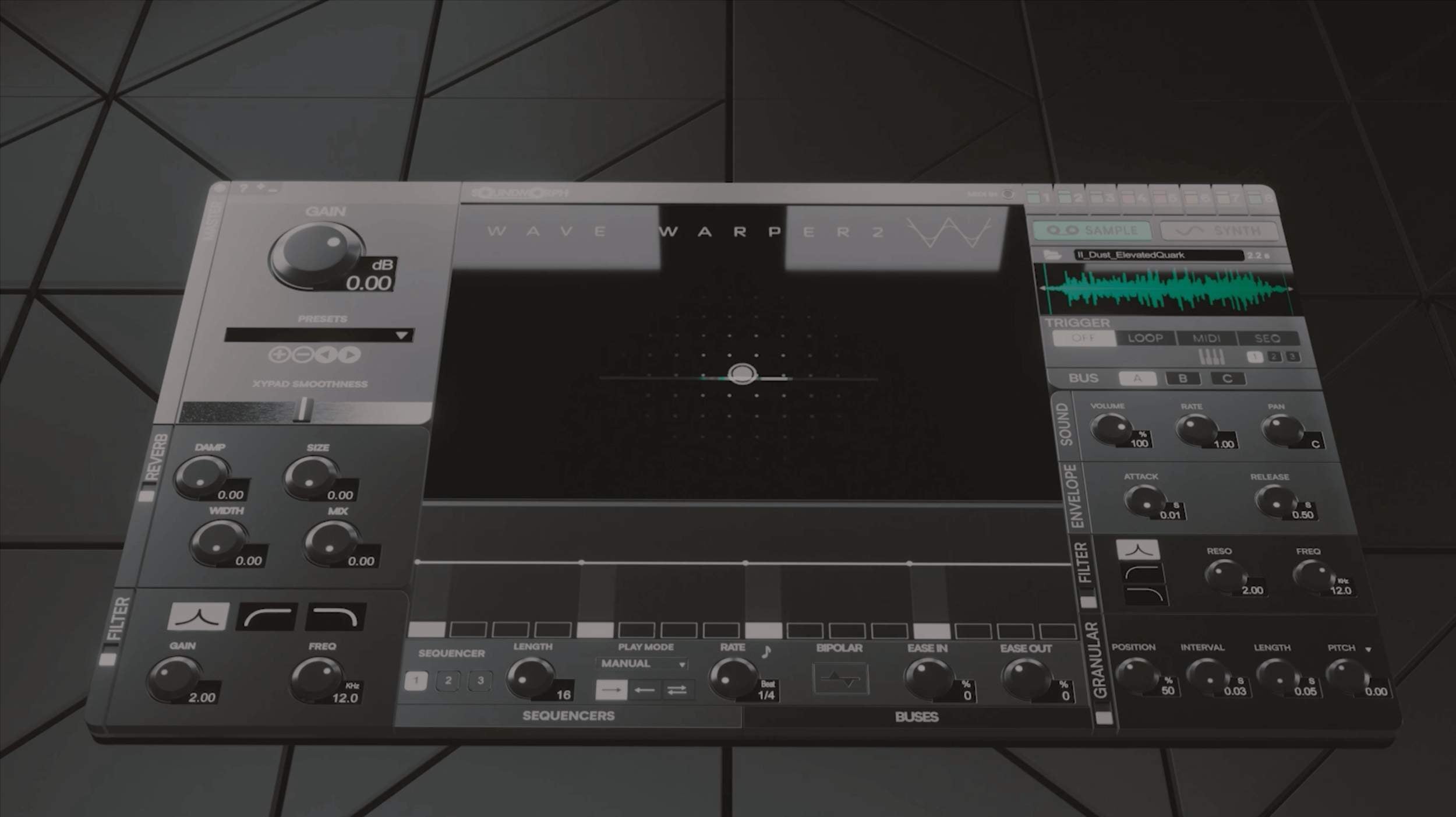
With Wave Warper 2 you can now access groundbreaking new whoosh and movement algorithms, a cutting-edge granular engine, a new sequencer and bussing system and several specialized features that will weave their way into your sonic palette. A dream come true for Dynamic Sound Creation. WaveWarper 2's portal to an expanse of sound integrates easily within the DAW of your choice now. Compatibility (VST3, AAX, AU) offers sound designers and musicians a fresh and intuitive GUI layout dialed for quick and easy access to an array of advanced sound controls optimized for sculpting, exploring and evolving recordings to new horizons of sound.

Granular Game-Changer

World-class sound control. After years of careful development and conceptual reconstruction at SoundMorph's remote labs, we morphed our original revolutionary whoosh software into a new dimension: directly to your DAW as a plugin. (AAX, VST3, AU). Apple Silicon Supported. (M1, M2).

Utilizing concepts from the original WaveWarper software, with WaveWarper 2, users now have access to 8 fully equipped sound emitter slots that can be shaped extensively using the XY pad's advanced movement algorithms, and in-depth step sequencer, various MIDI information, our new internal bus routing system, a morphable wave and noise synthesizer and a completely wicked granular engine; all of which are connected to a complex network of internal modulation options. Whether you are designing whoosh and pass-by sounds for the next big Sci-Fi hit, or you are seeking to add movement and texture to a sample in a song, or you need to make eerie spirits for a horror series, with WaveWarper 2 you will find the sonic results to give momentum to any story. The possibilities are quite limitless. Be sure to check out the tutorial or download a demo version to have a preview of this new sonic workhorse. You don't want to let it passby! ;)

Download Demo

Wave Warper 2 Tutorial

Wave Warper 2 is a versatile sound‑design instrument that transforms simple recordings into rich, moving effects. Its 8‑layer engine combines granular and wavetable synthesis, giving you multiple sound emitters that can be shaped with an XY pad, step sequencer and internal bus routing . A built‑in granular engine, morphable wave/noise synthesizer and a library of 85 presets help you build whooshes, pass‑bys, textures and transitions in seconds . With reverb, binaural panning, envelope followers and a fully modular modulation system , Wave Warper 2 offers near‑limitless sonic possibilities. It’s available as a VST3, AU and AAX plugin for both Mac and PC —a true game‑changer for sound designers and musicians.

Wave Warper 2 Listening room

Explore the sound.

Explore in headphones

Wave Warper 2

Press play to explore

0:00—:——
Customer review

“…lots of depth once you get into it…”

DaveAitchVerified buyerWave Warper 2Read all reviews

Making A Quick Spaceship

Create epic spaceship pass-bys in seconds with Wave Warper 2.
Join Jason Cushing, Founder of SoundMorph, for a quick demo showing how fast and creative sound design can be.
In just minutes, Jason layers 5 unique sources to build a cinematic spaceship flyby — and that’s just scratching the surface. Wave Warper 2 can go as deep and complex as your imagination takes it.

Specifications & compatibility

Key Features

  • - Apple Silicon Support/Compatible.
  • - Current Version: 1.1.0
  • - Presets by Yan David
  • - Presets by Ivo Ivanov
  • - Presets by Thibault Csukonyi & Vincent Fliniaux (Bruits.Studio)
  • - Presets by Andrew Pals
  • - Granular Synthesis
  • - 1.5 GB Sample Library Included
  • - 85 presets Included
  • - 8 Triggerable Sound Emitters
  • - XY Pad Control With Real-Time Mapping
  • - Randomizable Sample Folder Allocation. Ideal for creating new sonic structures.
  • - WaveTable & Noise Synthesis
  • - 3 Triggering Methods: LOOP, MIDI, SEQUENCER
  • - 2 Sound Emitter PLAYMODES: "On"  for free playback / "On When Playing" to  connect Wave Warper 2's playback to your  DAW's play button.
  • - Reverb Effect
  • - Binaural Audio Panning
  • - Envelope Followers
  • - Save & Recall Presets
  • - Import Your Own Sounds
  • - 5 Modulation Types On Parameters
  • - Envelope Follower Busses
  • - LFO
  • - VST3, AAX & Audio Unit Plugin Formats
  • - Mac and PC


System Requirements

Now Apple Silicon Supported. (M1, M2)

Minimum requirements:

An Intel® Mac with Mac OS X 10.14 (or later), OR a PC with Windows 10 (or later); Multicore processor; 8 GB RAM.

Manuals

Download here

SoundsPluginWave warper 2ToolSoundPossibilitiesTexturesInterfaceInstrumentSoundmorph
  • 5 stars: 99 (80%)
  • 4 stars: 19 (15%)
  • 3 stars: 4 (3%)
  • 2 stars: 0 (0%)
  • 1 star: 1 (1%)
A
Anonymous (Greece)
Amazing!

Amazing!

D
DaveAitch (United Kingdom)
Lots of granular wavetable synthesis goodness with hidden depths

Multi-layered granular and wavetable synthesis engine and lots of depth once you get into it like midi note to sample position and in vst3. One niggle stopping good to great - I'd like to select the content folder at install time as I don't really need 1.5GB of samples on my system drive that need to be moved.

P
Patrizia M. (Italy)
Top

Top

R
Rupert D. (Austria)
Nice Sience Ficton

Nice Sience Ficton Sounds

M
Mátrai P. (Hungary)
It's surprisingly flexible

It's surprisingly flexible, offering a lot of possibilities for my musical experiments. Easy to use interface, good sound quality. With plenty of factory sound samples.

A
Anonymous (Bulgaria)
comme ci, comme ça

I just started going through the manual, testing the plugin and tbh I was hoping for a simpler workflow. Some in depth video tutorials would be appreciated :) The preset sounds are great but as I'm designing only with my pwn sounds for a start it's quite overwhelming and so far I don't understand the shuffle option to sufficiently shuffle through sounds so i get constant different results/randomization and several other things. As i know your quality and love for sound, i'm sure WW2 won't disappoint and I just have to get through the initial hurdle, so I'm sure I'd give this a better rating in the future

I
Ilya A. (Serbia)
great

great

A
Anonymous (United Kingdom)
Creative juice

Love it

R
Roberto B. (Portugal)
Fantastic plugin to transform simple sounds into new and creative ones

Fantastic plugin to transform simple sounds into new and creative ones.

J
John K. (Greece)
Promising Concept, But Didn’t Fully Click for Me

I was excited to try Wave Warper 2, but after spending some time with it, I don’t think it will become part of my regular workflow. The concept is interesting, but the interface feels a bit unintuitive and not particularly inspiring to use. I also get the sense that something’s missing — though I can’t quite pinpoint what. I had hoped it could replace or complement some of the more popular whoosh and transition plugins I already use, but it didn’t quite reach that level for me.

That said, I really like the idea behind it, and I’d love to see future updates with more sophisticated and flexible randomization features. There’s definitely potential here — it just needs a bit more refinement to shine.

P
Pierre A. (Ireland)
Wave Warper 2...just amazing !

Wave Warper 2 is more than a fantastic tool. It's a real instrument providing unlimited possibilities to create unique sounds, shapes and textures. It's a game changer in sound design with one plugin, only. Accurate and powerful, easy to use, is suitable for any genre of project. Just amazing !

R
Ross H. (United States)
Very complicated

Very complicated, but the biggest problem is the video explaining it. I like the effects, but I never use it! Either make it more user friendly, or make a lot better instructional videos.

Hey Ross,
Thanks for taking some time to express some of your frustrations, we definitely wish for everyone to find Wave Warper 2 fun and intuitive. We feel our tutorial explains Wave Warper 2 fairly well, however sometimes users need some extra help or guidance. I just wanted to personally reply and say we are more than happy to help you out with anything that you might be having trouble with in Wave Warper 2. Hit me up at jason@soundmorph.com. Happy to talk! - Jason | Founder | SoundMorph

J
Julian D. (United Kingdom)
It's a total sound design beast! 🤯

If you're into making those cinematic whooshes, pass-bys, and crazy evolving textures, Wave Warper 2 is one of the best tools out there. It's a massive upgrade from the original, finally running as a proper VST/AU plugin right in your DAW, which is huge.

The whole thing is built around an 8-layer morphing granular/wavetable engine with a super intuitive XY pad for real-time control. Basically, you can load up sounds and then just drag your mouse (or controller) to morph them into something completely new and wild. People love it because it makes generating complex, dynamic sounds way faster and more fun than manually setting up a zillion automation lanes.

K
Karl j.V.h. (Germany)
fantastic Wave Warper 2

I love this instrument ! A great tool for creating dark and
evolving atmospheres

A
Anonymous (The Netherlands)
Exelent and versetile

Exelent and versetile plugin!!

A
Anonymous (United States)
Very interesting and unusual

Very interesting and unusual.

A
Anonymous (Canada)
Great plugin to get creative whoosh

Great plugin to get creative whoosh sounds!

D
Dmytro G. (United States)
The creative possibilities are endless!

I really love it so far! Instantly became a part of my cinematic and film music templates. Perfect for creating ambient textures, as well as transitions and whooshes!

G
Genzo (Hungary)
Very good!

Very good!
But I am studying.

D
Danny W. (The Netherlands)
Awesomsound like awesome!!

Awesom tool for sounddesign!

S
Sadiki (United States)
yeah man!

yeah man!

J
Julian (Argentina)
Excelent

Excelent

C
Caue N. (Brazil)
Amazing Tool for great sound

Amazing Tool for great sound designers!!!!¡

M
Mauricio (Mexico)
iT'S SIMPLE AND WITH GREAT POSSIBILITIES

iT'S SIMPLE AND WITH GREAT POSSIBILITIES.

A
Anonymous (Bosnia and Herzegovina)
Wave Warper 2

Versatile and great addition to sound design

E
Eugene (The Netherlands)
Amazing plugin

Amazing plugin. What is needed for sound design!

G
Gudrun (Austria)
Fun and useful if you have figured out what to do

I like it a lot. But it takes time to figure out how it works. And then even more time to find out what you like to get as result. I am media composer and need often a new sounding effect for a jingle, a coporate audio or an advert. And it helps me to make something unique or make an effect my own. But i fear as with all complex programs, i will learn a bunch of working effects and never find the time again to check out the rest.

C
C (United States)
Cool

An interesting granular synth instrument, I only just started using it but it is pretty cool.

N
Nardus (South Africa)
Excellent product as always

Excellent product as always. Now I've got another sound making tool in my arsenal. Next time I'll buy some talent to go with the software

J
Jeffery M. (United States)
Wave Warper 2

This plugin is great for making pass-by effects from your own original field recordings!

Build your sound toolkit.

Included in these bundles

Get Wave Warper 2 with more.

Pairs well with

More tools for your next sound.

Important install note

Open this file after downloading every part:

For multipart sound libraries

  1. Download every part into the same folder. Wait until every download has finished, and keep the original filenames unchanged.
  2. Open Part 1 only in one of the apps below: the file ending in .7z.001, .zip.001 or .part1.rar (sometimes .part01.rar). For older .rar + .r00 sets, open the .rar file.
  3. The app reads the remaining parts automatically and extracts the complete library. Keep all parts together until extraction finishes; you do not need to open the other parts.

If your library contains separate, complete ZIP archives instead of numbered volumes, extract each ZIP separately. Software installers have their own instructions.

Mac — Keka recommended
Keka is our recommended Mac app for large SoundMorph libraries and can be faster than The Unarchiver. Get the free direct download from Keka’s website, or support its developer with the Mac App Store version ($6.49 USD). Store pricing varies by region and may change. The Unarchiver also works and is free. Extraction speed depends on your Mac and the archive.

Keka users: allow folder or drive access

Keka needs permission to read the folder or drive holding your downloads, especially multipart archives on an external drive. If you have not already granted access:

  1. Open Keka → Settings (or Preferences) → File Access.
  2. Click the + button at the bottom left. Select the folder or drive containing all your downloaded parts, then click Give access to Keka (or Open).
  3. If you are extracting to a different folder or drive, grant access there too. Then open Part 1 only again.

Seeing “Operation not permitted” or “Cannot open the file as archive”? Check Keka’s access first. These messages do not necessarily mean the download is damaged.

Show Keka settings (+ button)
Keka File Access settings. Use the plus button in the bottom-left corner to add the folder or drive containing your downloads.
The arrow points to the + button. Add the folder or drive you are using; the entries shown here are just an example.

Windows — 7-Zip
Use 7-Zip, a free archive extraction app for Windows.

Make sure your drive has enough free space for both the downloaded archive parts and the extracted library.

* We’re developing a SoundMorph downloader and installer app to make downloading and installing your libraries faster and easier. Coming in 2027!

SOUNDMORPH / LICENSE

Who will use these sounds?

Choose your license.

Choose your license

Subtotal—

Taxes and discounts calculated at checkout. License details